

How to use Exact Flow Diagnostics and Data Erasure Software
Learn How to use Exact Flow Diagnostics and Data Erasure Software with this helpful tutorial from Zip Tutorials.
Created By:  Anonymous
Published on August 10, 2026
1 Steps
Step 1:
Login and downloads
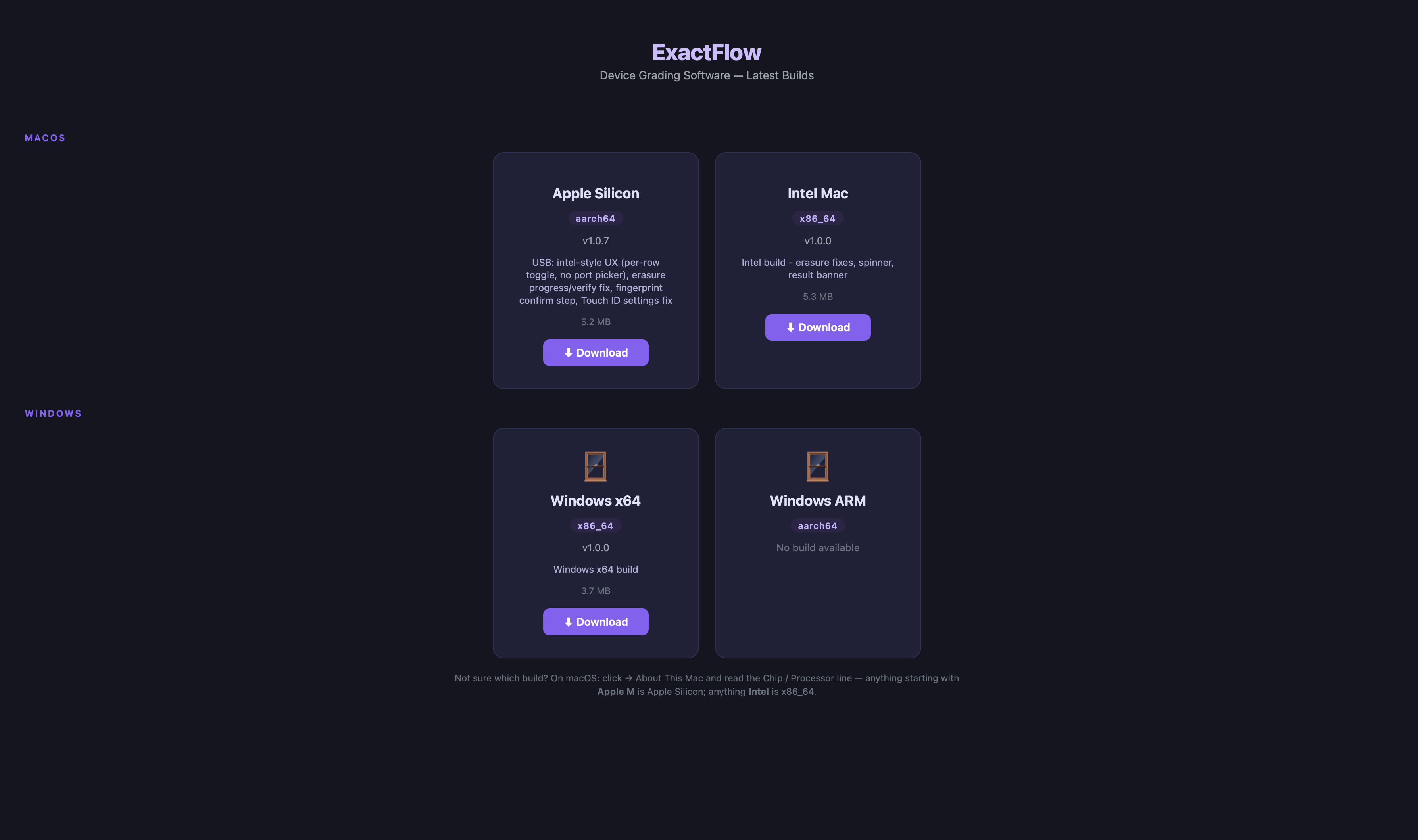
### Accessing the Application and Downloads 1. Navigate to the **Exact Solutions Analytics Portal**: [Exact Solutions Analytics Portal](https://exactflow-grading.fly.dev/admin/analytics/?utm_source=chatgpt.com) 2. Log in using the provided credentials. **The same credentials can be used to access the application.** 3. Once logged in, locate **Downloads** in the left-hand sidebar. 4. Click **Downloads** to open the downloads section. 5. The Downloads page provides application builds for different operating environments, including: * **macOS – Apple Silicon** * **macOS – Intel** * **Windows** 6. Select and download the appropriate build based on the user's device and operating system.
We Think You Might Like These Tutorials
Liked this tutorial? Check out some more tutorials from our community:
 Zip Tutorials